 MoreFrame
Add a second window
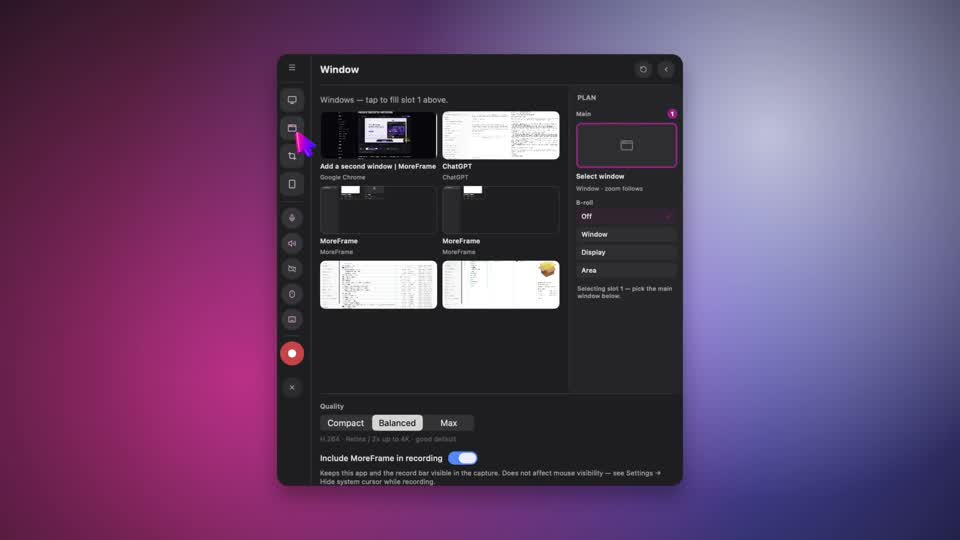
Use this when the story needs two apps at once: product and docs, admin and customer view, browser and editor.
- Click Record. The floating bar opens.
- Open Window and pick the main app. That fills Main (the slot marked 1).
- Under B-roll, choose Window, Display, or Area.
- Fill B-roll (the slot marked 2) with a different window, a second display, or a crop.
- Click Start recording. Click Stop recording when you are done.
The second source is a B-roll clip. Drag it on the canvas, resize from the corners, and round the corners in the inspector.
You can hide B-roll for part of the video without cutting a hole in the main recording. You can also import a movie later. That becomes B-roll too.